Kubernetes schedules containers onto machines. Those machines still run an operating system, and at the centre of that operating system sits the kernel. This short chapter is the foundation for the rest of the book. It explains what a kernel is, why we use that word, and how everyday software reaches the hardware beneath it.
Learning goals
- Explain the peach metaphor behind the word kernel.
- Place applications, the shell, the kernel, and hardware in the correct order.
- State what happens when higher layers need hardware access (a system call).
- Connect this picture to Kubernetes: every node runs a kernel that containers share.
Why we call it a kernel
The name is anatomical, not decorative. In a peach, the soft flesh is packaging. Inside it sits a hard stone. Inside the stone sits the living seed—the kernel. Strip away everything around it and that seed is what remains. The rest of the fruit exists, in part, to protect it.
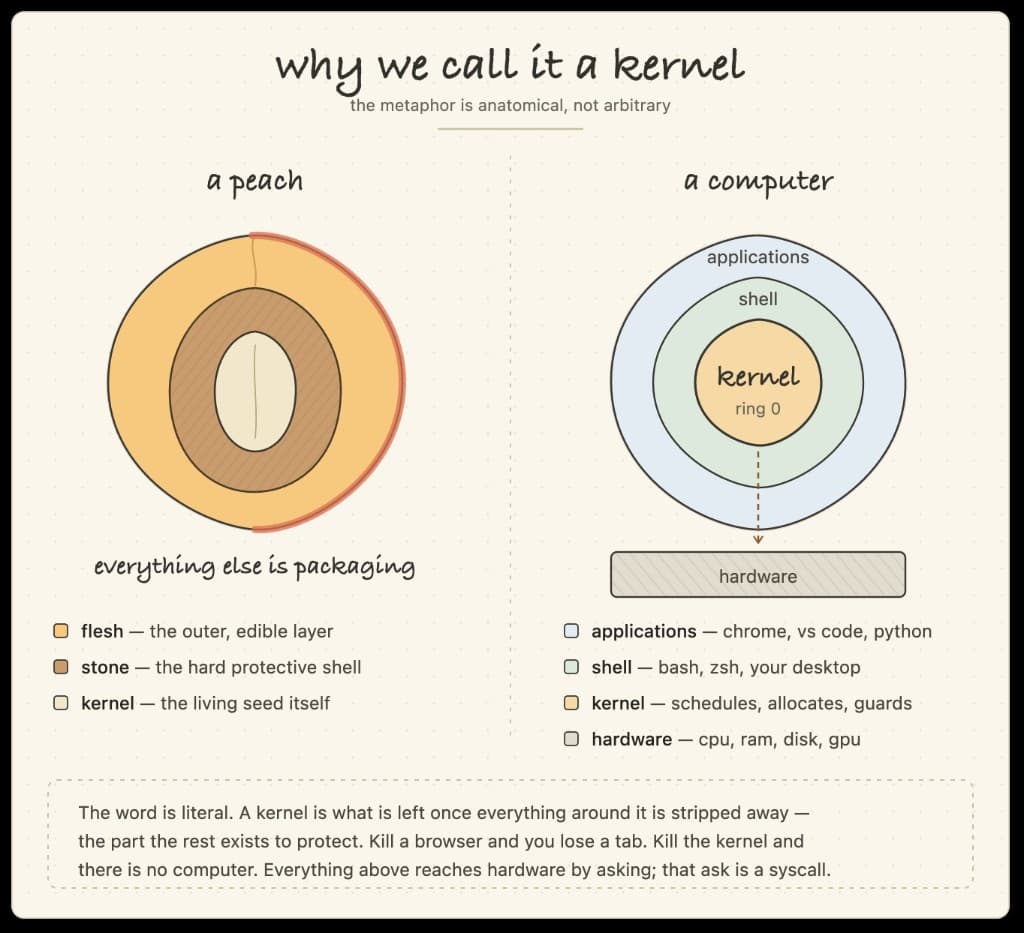
A computer follows the same idea. Applications sit on the outside—a browser, an editor, a language runtime. Beneath them is the shell or desktop environment: the place where you type commands or click windows. At the centre sits the kernel. Below that lies the hardware: CPU, memory, disk, and GPU. Kill a browser and you lose a tab. Kill the kernel and there is no usable computer left.
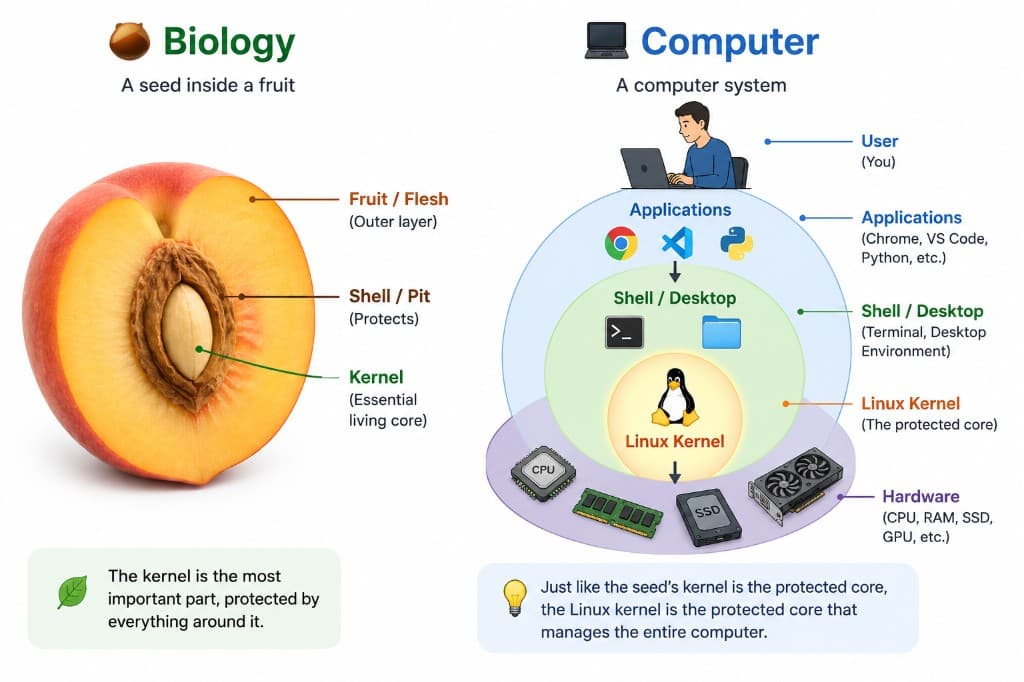
How the layers talk
Software above the kernel does not drive the hardware directly. It asks. That request is a system call (syscall): open a file, allocate memory, start a process, send a packet. The kernel schedules work, allocates resources, and guards access so one program cannot quietly damage another—or the machine itself.
In short: applications and shells reach hardware by asking; the kernel is the protected core that answers.
Why this matters before Kubernetes
A Kubernetes cluster is a set of nodes. Each node is a computer with a Linux kernel. Containers on that node do not each ship their own kernel; they share the host kernel and rely on it for isolation, networking, and storage. When later chapters discuss Pods, volumes, and Services, they rest on this layer. Understanding the kernel first makes those ideas clearer: Kubernetes orchestrates workloads; the kernel still runs the machine.
Key takeaways
- Kernel means the essential core—protected by everything around it.
- Order from outside in: applications → shell → kernel → hardware.
- Higher layers use syscalls to ask the kernel for hardware access.
- On a Kubernetes node, containers share that host kernel; the cluster sits on top of it.